Notion template · instant access
The Student Life Dashboard.
One page that runs your whole semester. Classes, deadlines, internship applications, money, goals, habits and a planner for every month, all in one place and actually pretty to open.

What's inside
13 connected databases. One dashboard.
A page for every class with the syllabus, professor's email and office hours, notes, projects and every deadline for that class.
Calendar and Upcoming views so no exam, paper or application sneaks up on you.
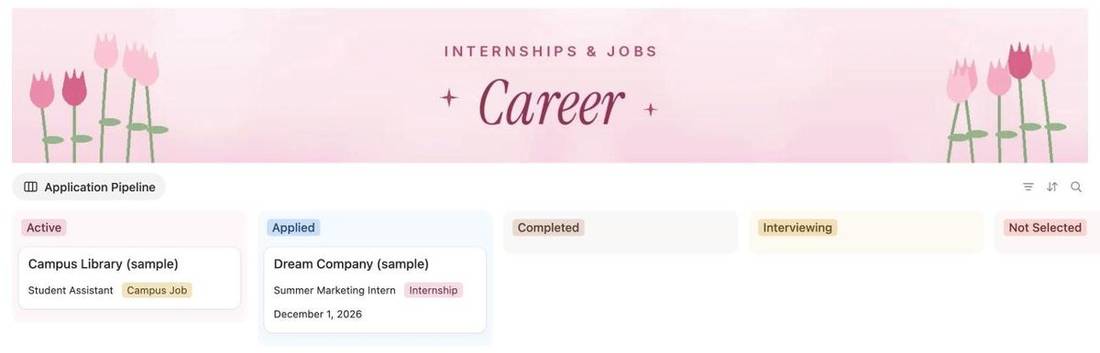
A pipeline board from Wishlist to Offer. Drag cards as your applications move.
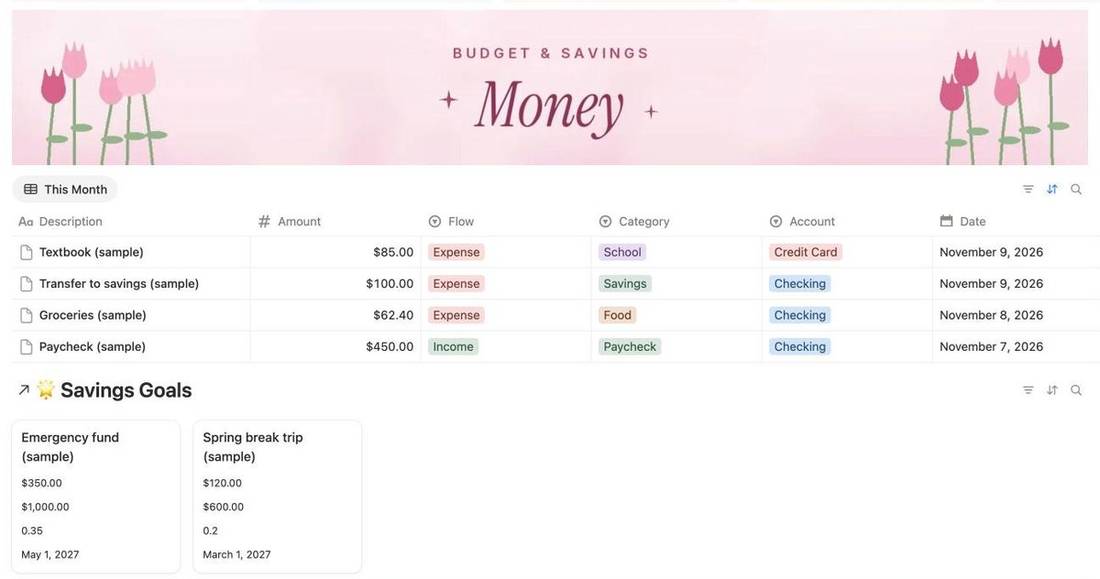
Log income and spending, see where it goes by category, plus Savings Goals and Debt Payoff. Educational only.
The goal, the why and the next step. Daily habits with an automatic score.
Monthly focus, top 3 goals, big dates, weekly overviews, routines and an end-of-month reflection.
Optional pages for the rest of your life. Keep them or delete them.
Weekly planner, meal plan, cleaning checklist, travel planner, four-year plan and grad school tracker.
Set up in about 10 minutes, step by step.
A look inside
Here's exactly what you get.
Real screenshots from the template. Sample rows are included so you can see how it works, then you delete them and make it yours.
01
Your home base
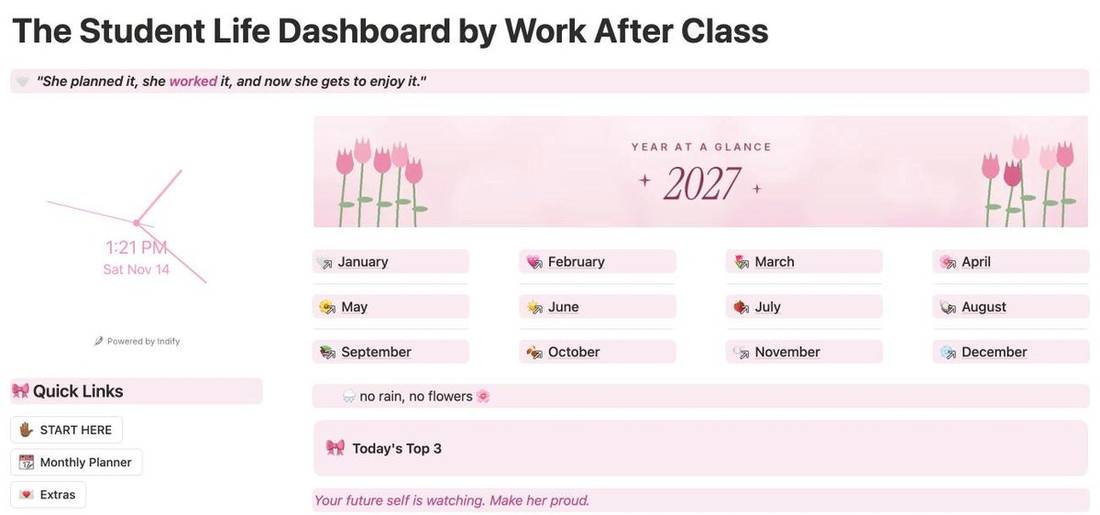
Year at a glance, a link to every month, today's top 3 and what's due next, all on one page. Open it every morning.
02
Never miss a deadline
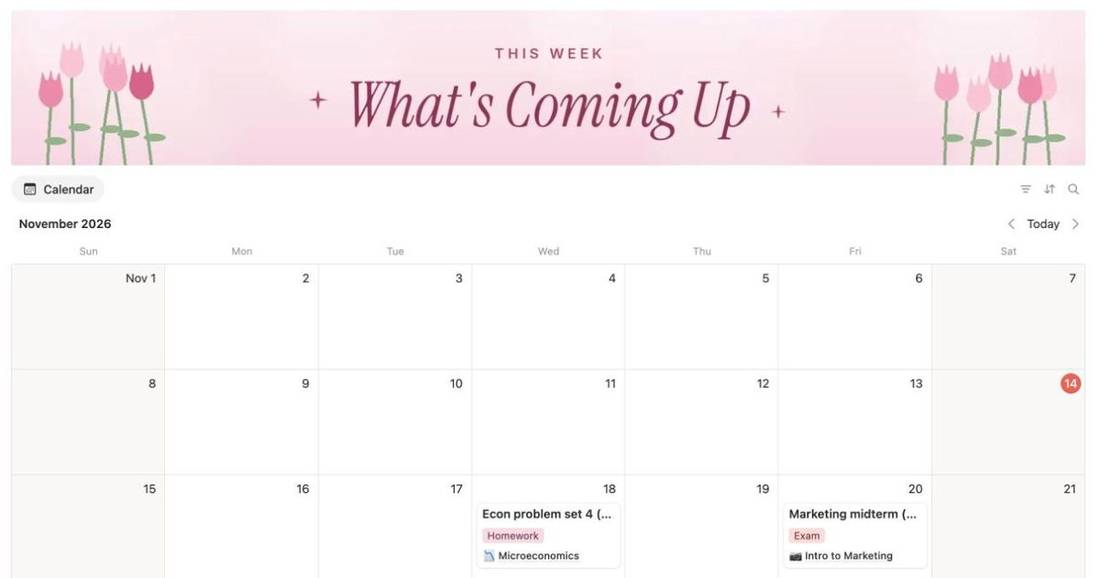
Every exam, paper and application on a calendar, tagged by type and linked to its class.

03
A page for every class
Syllabus, professor, office hours, notes and every deadline for that class. Add a cover and it shows up in the gallery.
04
Track every application
Drag internship and job applications from Applied to Interviewing to Offer. You'll always know where you stand.
05
See where your money goes
Log paychecks and spending, sort by category, and watch your savings goals fill up. Educational only.
06
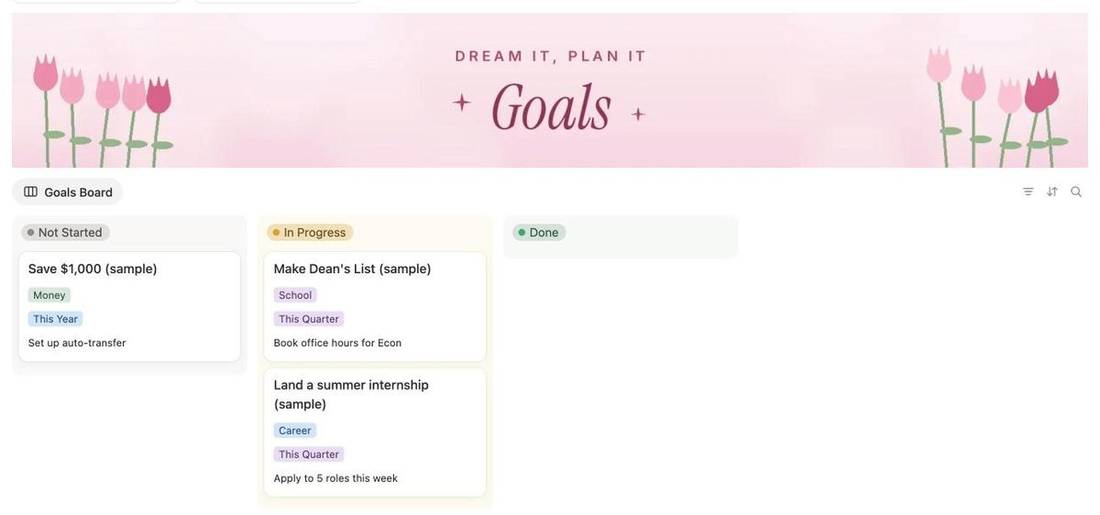
Goals with a next step
Every goal gets a why and one next action, so it actually moves from Not Started to Done.
07
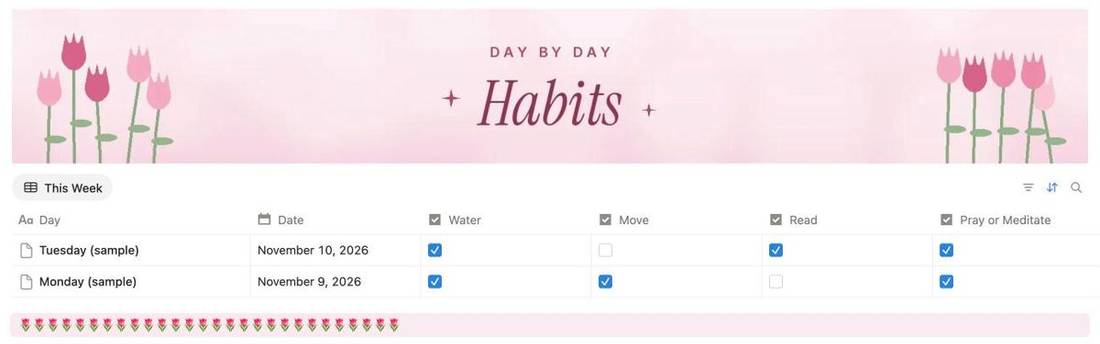
Habits that stick
Check off your daily habits and see your week at a glance. Rename them to whatever you're working on.
08
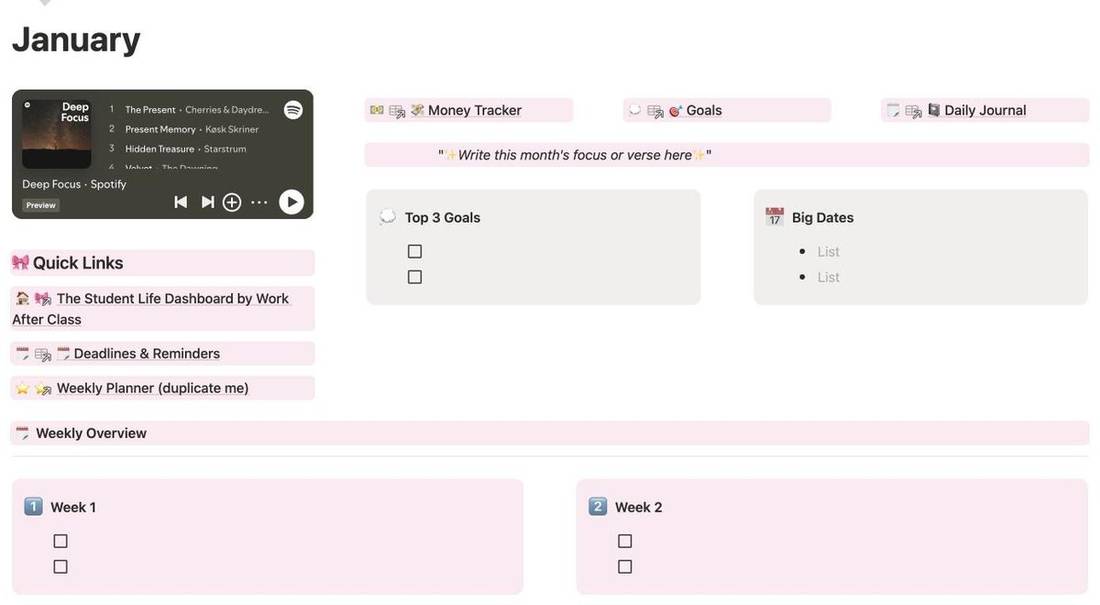
12 monthly planners
Monthly focus, top 3 goals, big dates, weekly check-ins, routines and an end-of-month reflection.
How it works
Yours in two minutes.
- Check out securely with Stripe01
- Your template link appears on the confirmation page02
- Open it on a computer and click Duplicate03
- Follow Start Here and you're set up in 10 minutes04
FAQ
Questions
Do I need to pay for Notion?
No. It works on Notion's free plan. You just need a free Notion account.
How do I get it after I buy?
The template link shows on the confirmation page right after checkout. Open it, click Duplicate in the top right, and it's in your own Notion. Save the link. Lost it? Email [email protected] with your receipt.
Does it work on my phone?
Yes, in the Notion app. Do the first setup on a computer.
Can I change the colors and sections?
Yes. Everything is editable. Delete what you don't need and swap in your own covers.
Is the Money Tracker financial advice?
No. It's a place to track your own budget. Educational only.
Can I get a refund?
It's a digital product with instant access, so sales are final. If something isn't working, email us and we'll fix it. See Terms & refunds.
Can I share it?
Each purchase is for one person's personal use. Please don't share the link or resell it.